Built on
Our AI team, live.
Every desk is a real AI agent building plusmore.
 For an idea built on a public chain: Base, USDC and a contracts phase.
Not using Claude Code? Use this version of the prompt.
Written by AI and open source. Read it and check it yourself before you use it. plusmore accepts no responsibility for how it is used or for anything it produces. By downloading or using it, you agree to this and to the licence.
The office: no live data right now.
What each desk shows
- Asleepno task right now.
- Wakinga task is starting.
- Workingbusy on a task.
- Thinkingworking out the next step.
- Swarmhelpers split up a big task.
- Releasingputting new work live.
- Reviewingchecking finished work.
- Donea task is finished and counted.
- Pausedhit a plan limit, back later.
- Stalledno progress for 2 hours.
- Nightthe room dims after dark.
What you get
A team, a board dashboard and a product.
Your Web3 startup, built on Base: the team builds it, and you see and approve every step.
Your first ten minutes
Before any question, your team goes live on your dashboard. Then a short form, mostly picked from a list.
![The board dashboard's Live page for the placeholder brand [Your Brand], with example records: the team as a pixel office seen from above, one desk per role with its name and state, the CTO with three tasks at once, design, marketing, product and security at work, the reviewer checking a task, a desk waiting for the board's decision, and a task number arriving at the CTO's desk.](/founders/what-you-get/dashboard-office-light.webp)
![The board dashboard's Live page for the placeholder brand [Your Brand], with example records: the team as a pixel office seen from above, one desk per role with its name and state, the CTO with three tasks at once, design, marketing, product and security at work, the reviewer checking a task, a desk waiting for the board's decision, and a task number arriving at the CTO's desk.](/founders/what-you-get/dashboard-office-dark.webp)
![An illustration of a terminal session with example records: on the left the starter pack installed for the placeholder brand [Your Brand] and the dashboard started first; on the right Step 2 of 7, Your business, with the budget question, four choices each with a help line, one picked as the example answer, and Other: type your own.](/founders/what-you-get/onboarding-terminal.webp)
![The board dashboard's Live page for the placeholder brand [Your Brand], with example records, as it opens before any question: four roles working on their first setup tasks, one queued, and the org chart with each role's state.](/founders/what-you-get/dashboard-live-light.webp)
![The board dashboard's Live page for the placeholder brand [Your Brand], with example records, as it opens before any question: four roles working on their first setup tasks, one queued, and the org chart with each role's state.](/founders/what-you-get/dashboard-live-dark.webp)
Live: Your whole team at work, before any question. 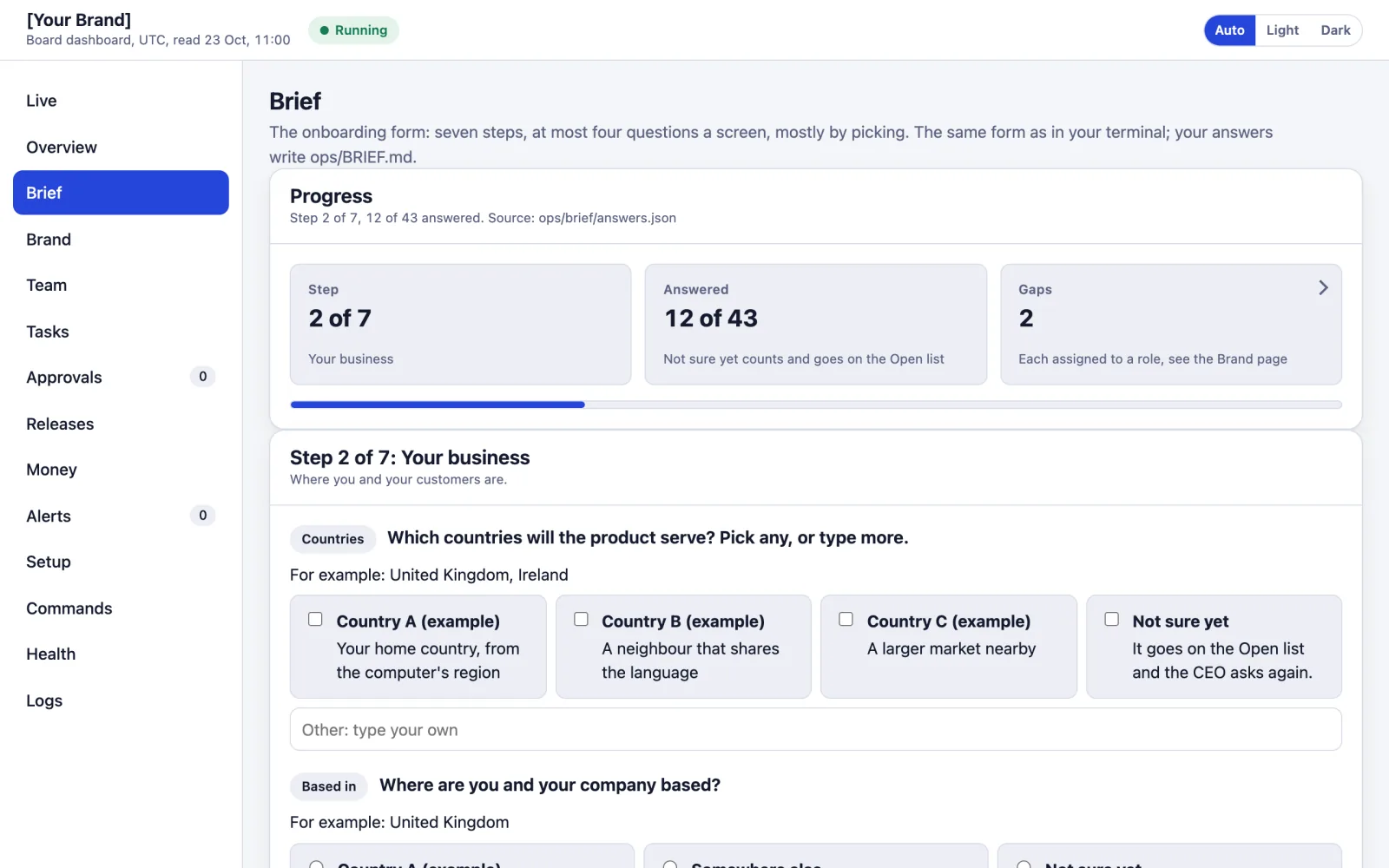
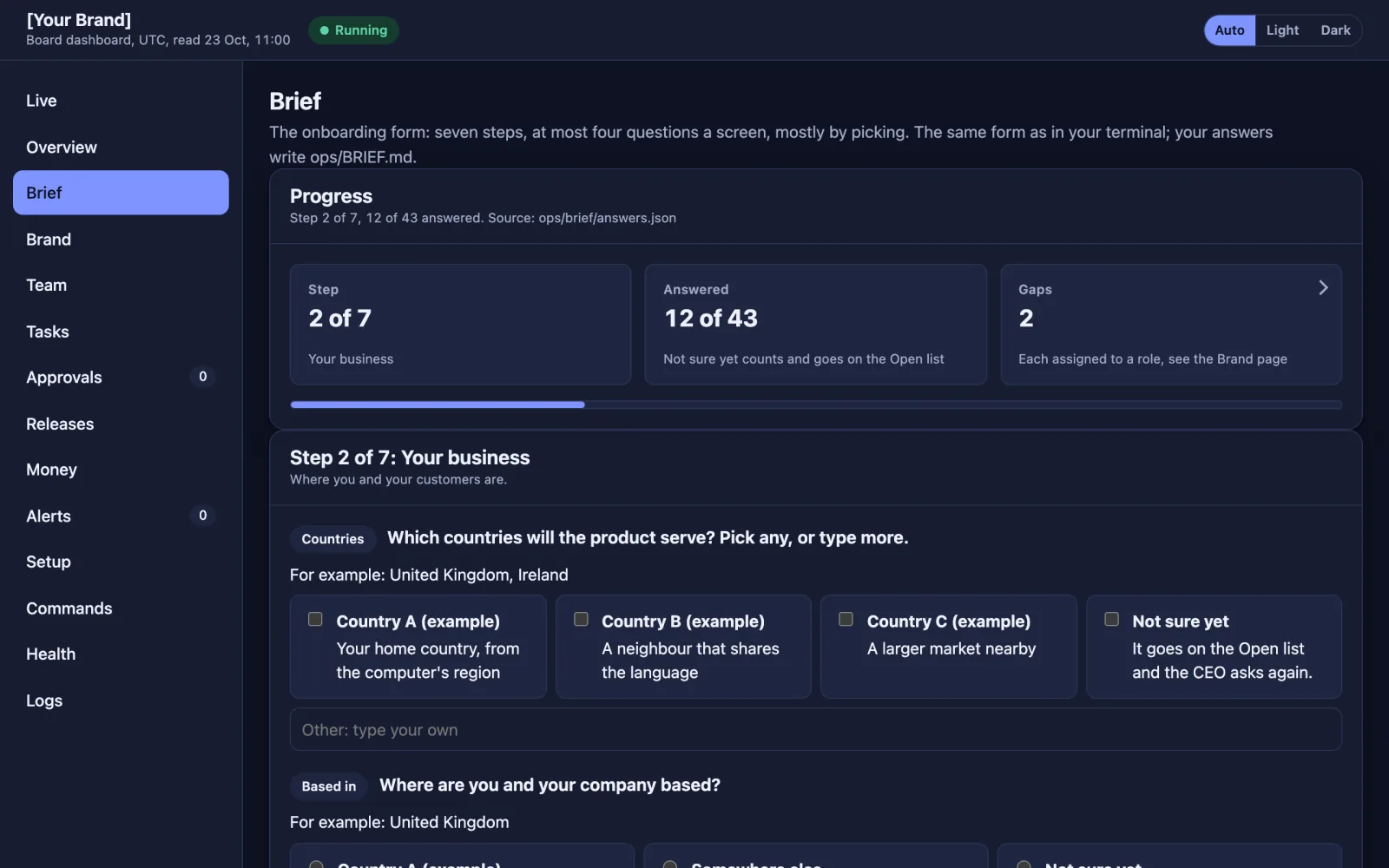
Brief: The same form, in your browser if you prefer. ![The dashboard's Brand page with example records: ten logo options for the placeholder brand [Your Brand], wordmarks, symbols and monograms, each with a Pick this one button, and Ask for another round.](/founders/what-you-get/dashboard-brand-light.webp)
![The dashboard's Brand page with example records: ten logo options for the placeholder brand [Your Brand], wordmarks, symbols and monograms, each with a Pick this one button, and Ask for another round.](/founders/what-you-get/dashboard-brand-dark.webp)
Brand: Ten logo options when you have none.
Your board dashboard
The starter pack's own dashboard, on your computer, read from the team's files. Shown with example records.
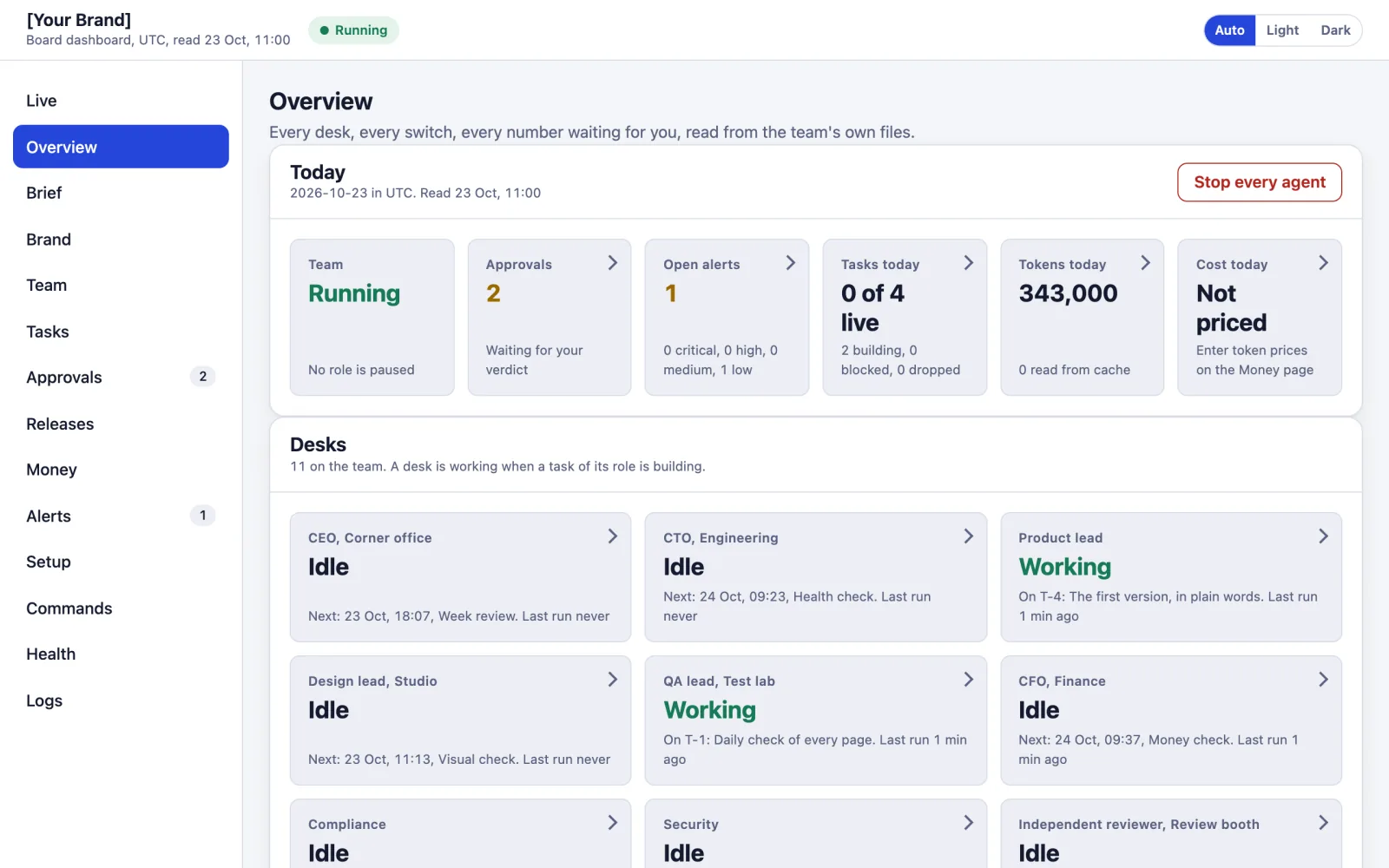
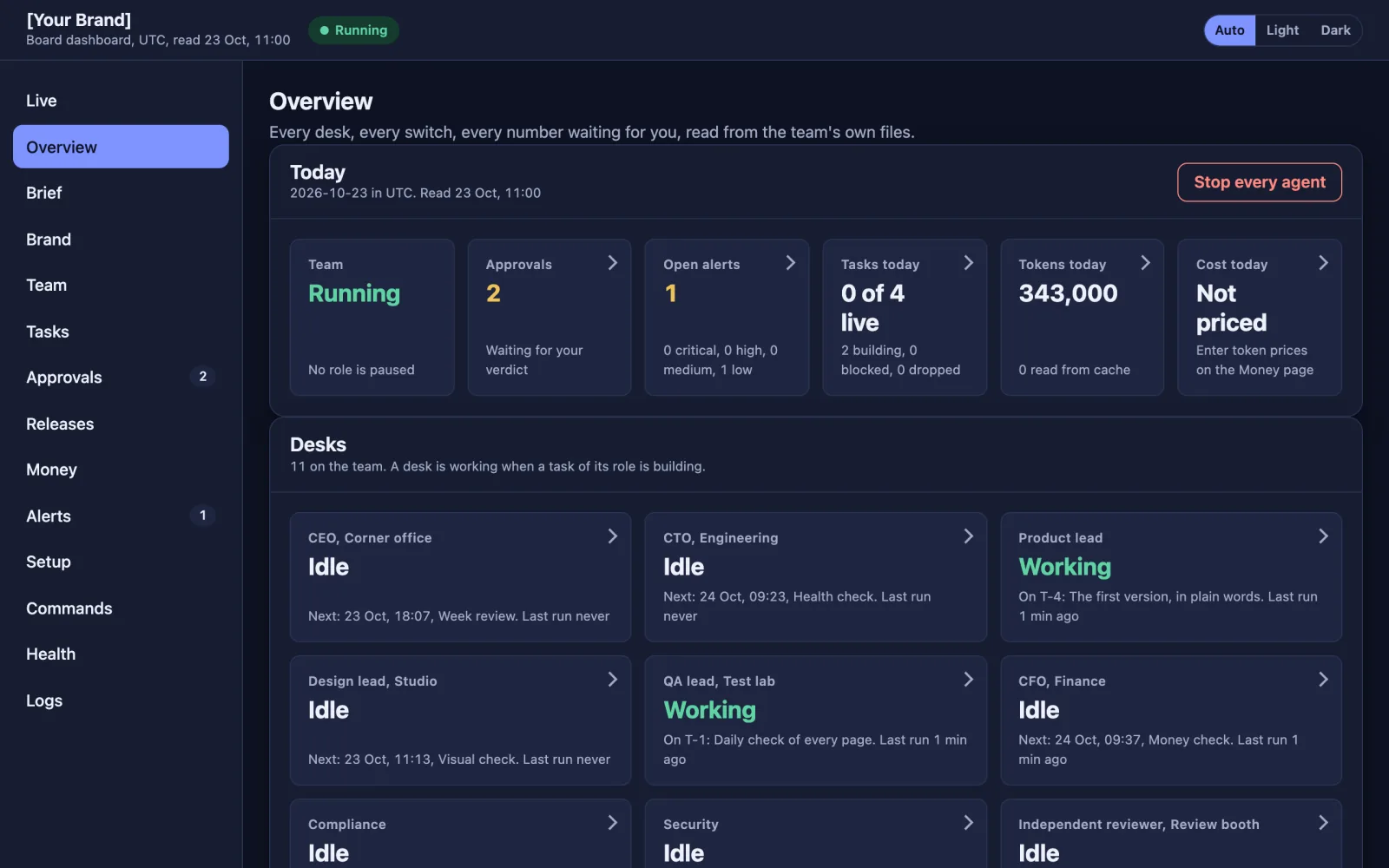
Overview: Every desk and switch, and one button that stops every agent. 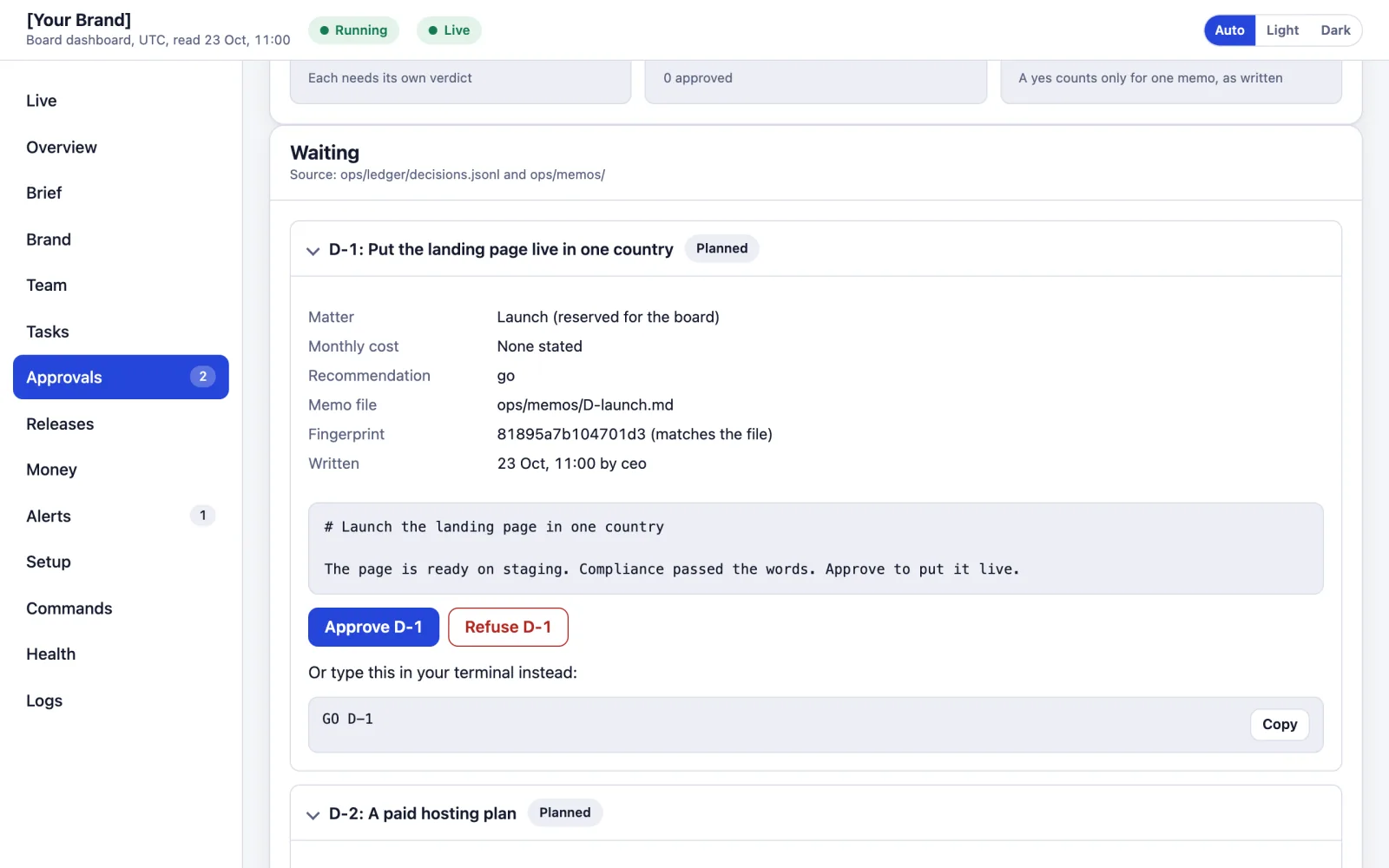
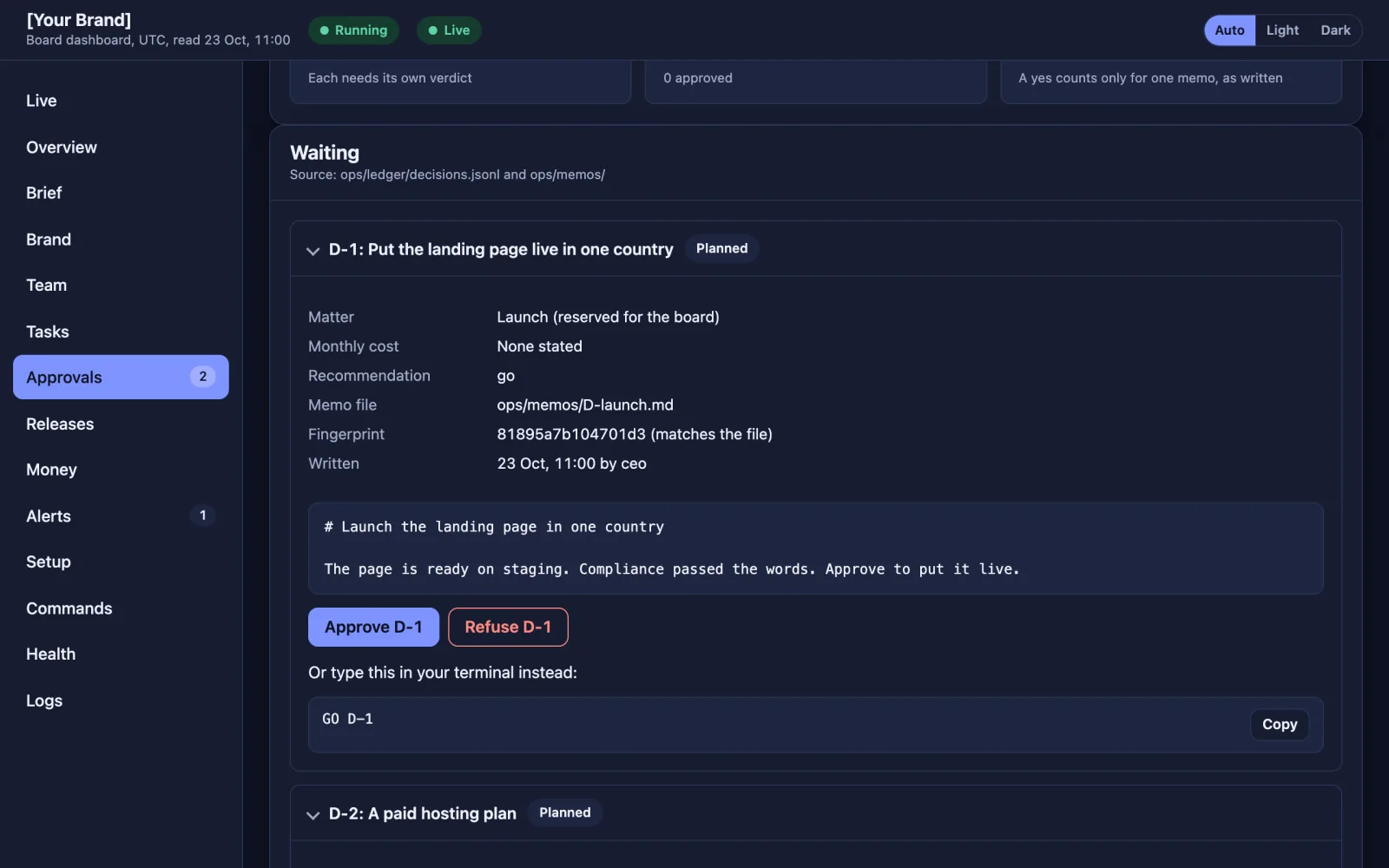
Approvals: Nothing real happens without your yes. Approve or refuse each memo. 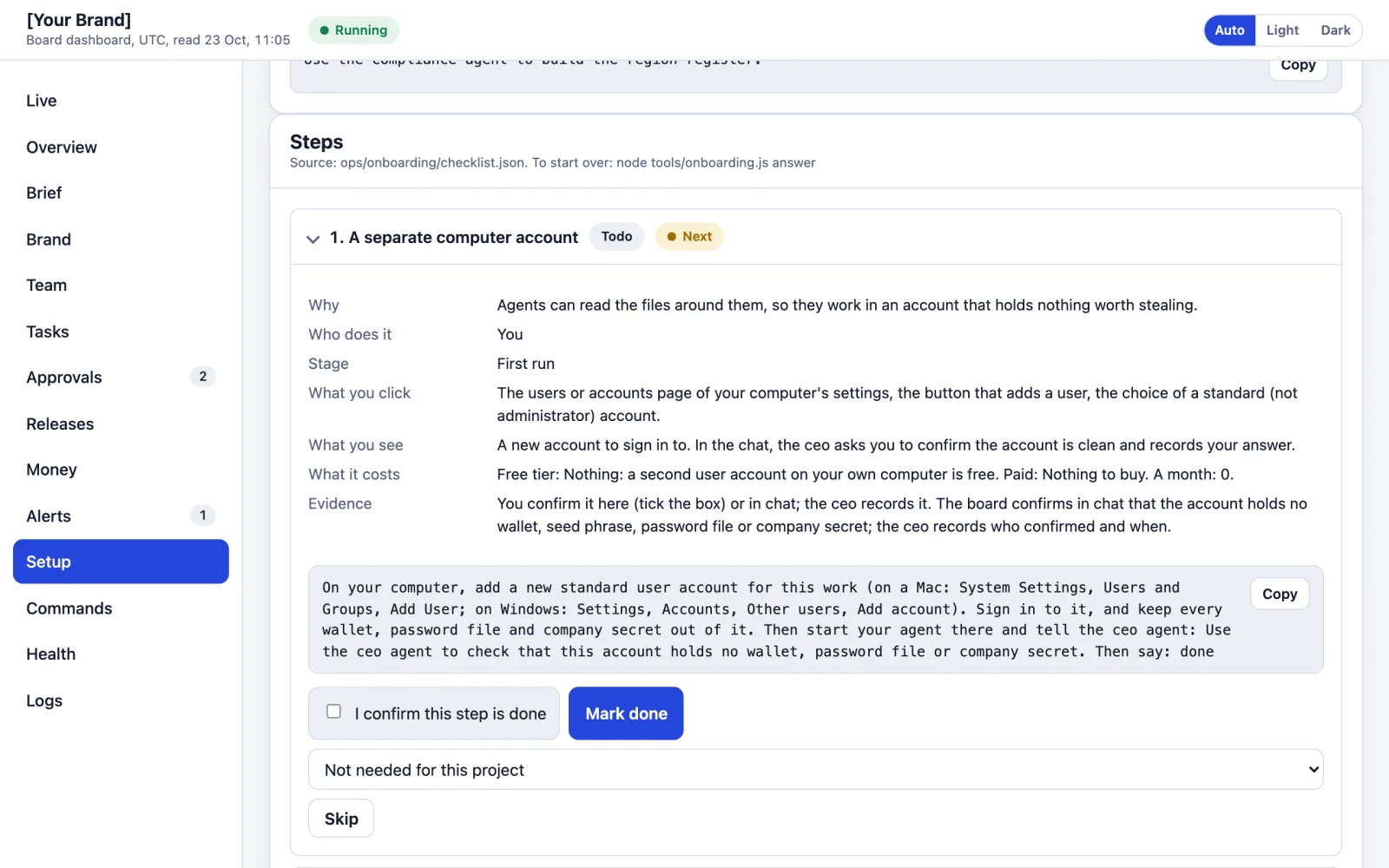
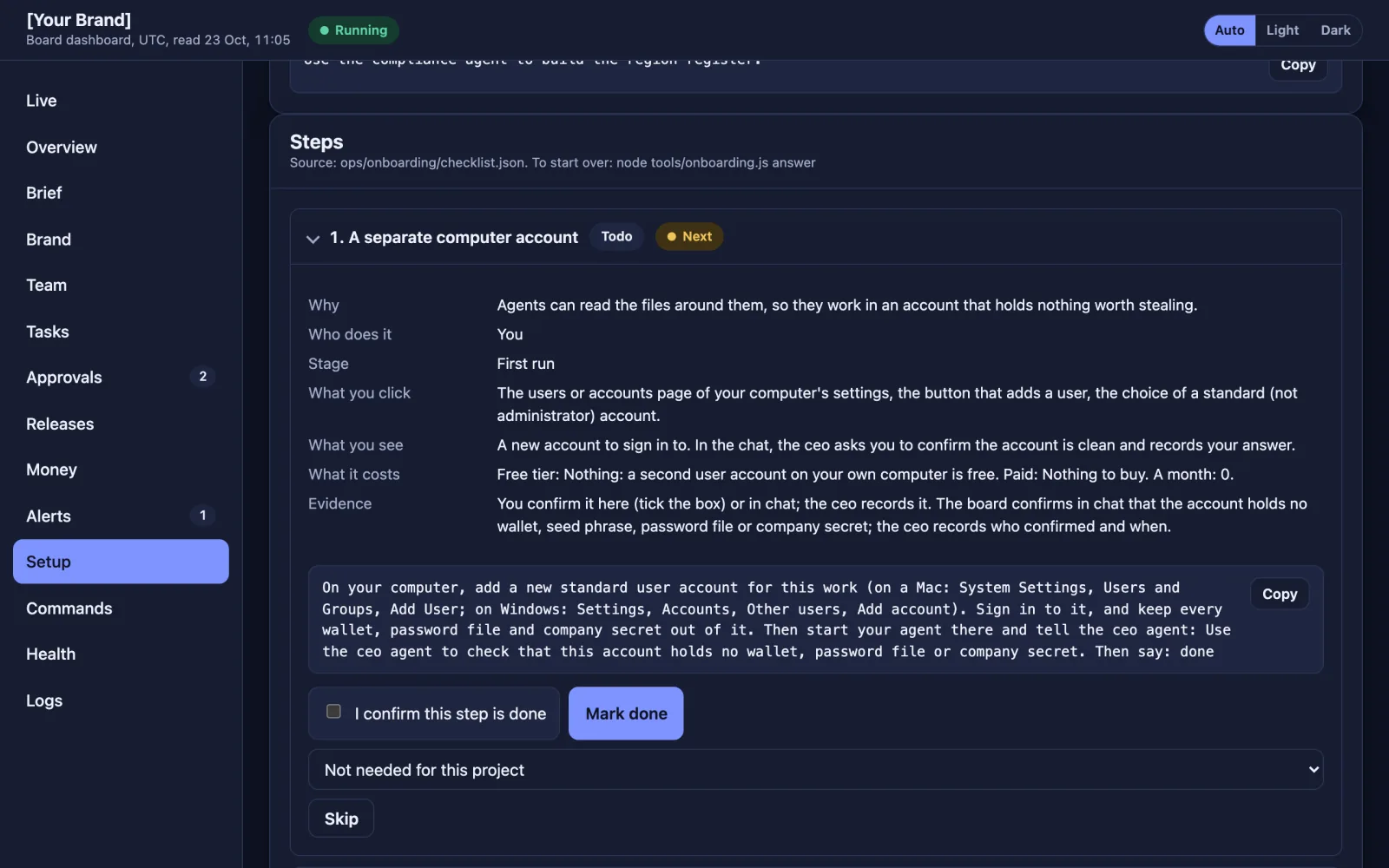
Setup: The steps for your kind of project, each with what it costs. 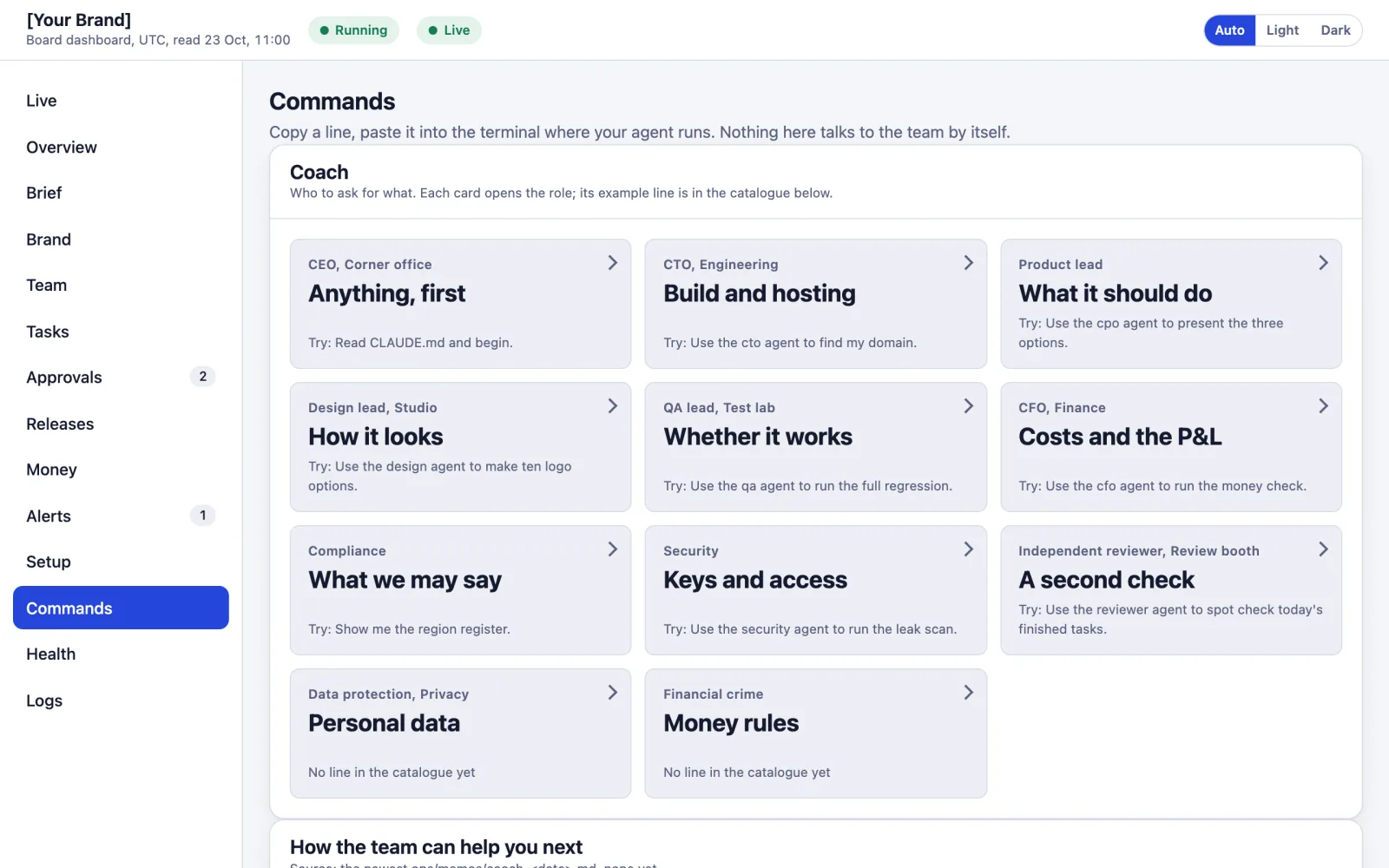
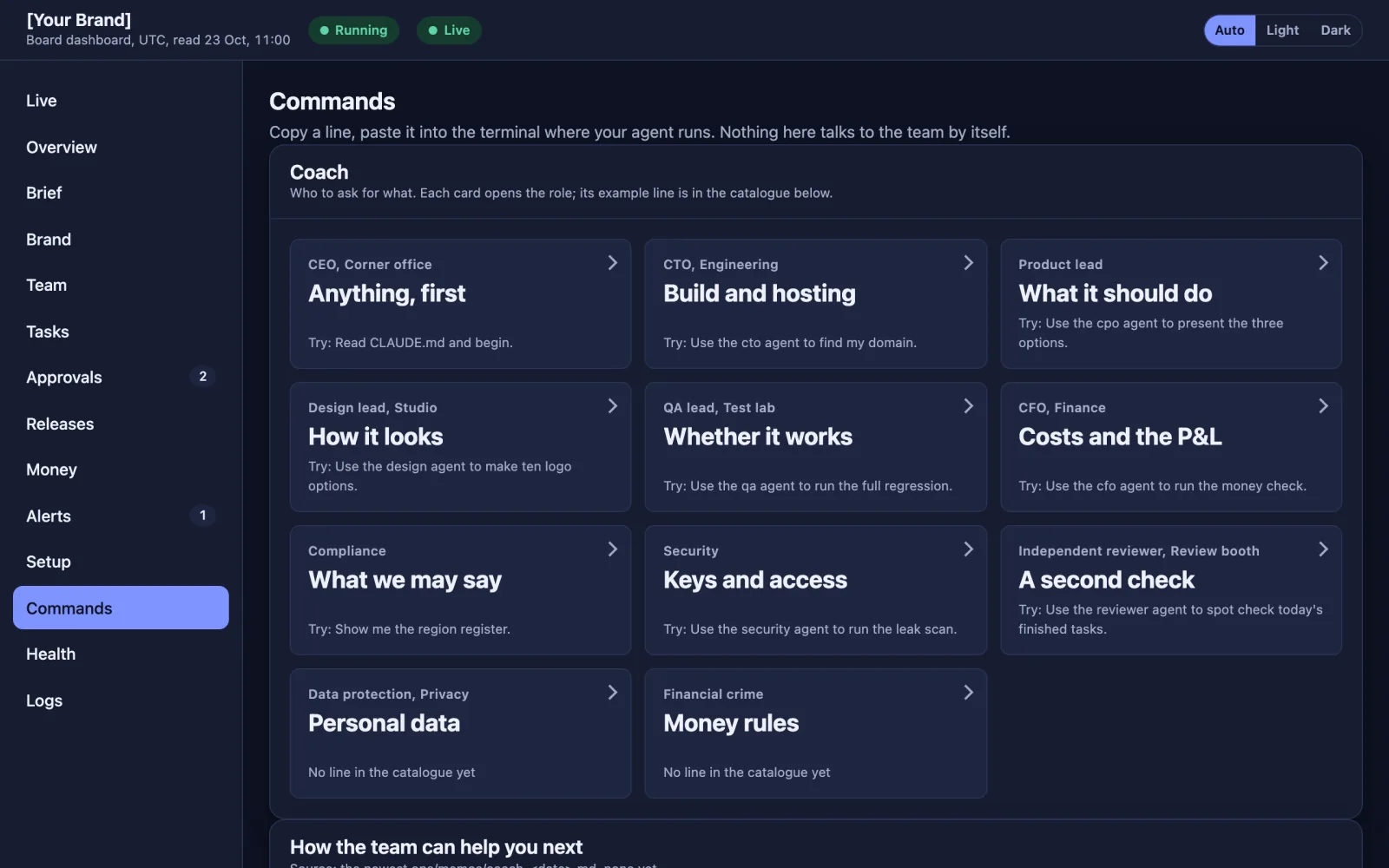
Commands: A Coach panel that says which agent to ask, with a line to copy.
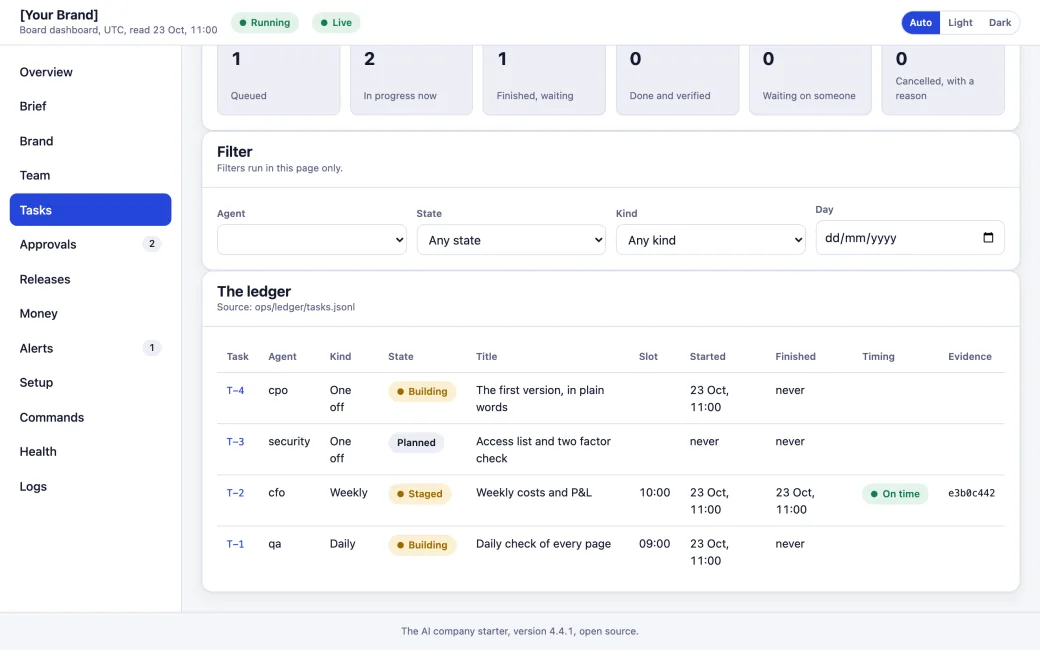
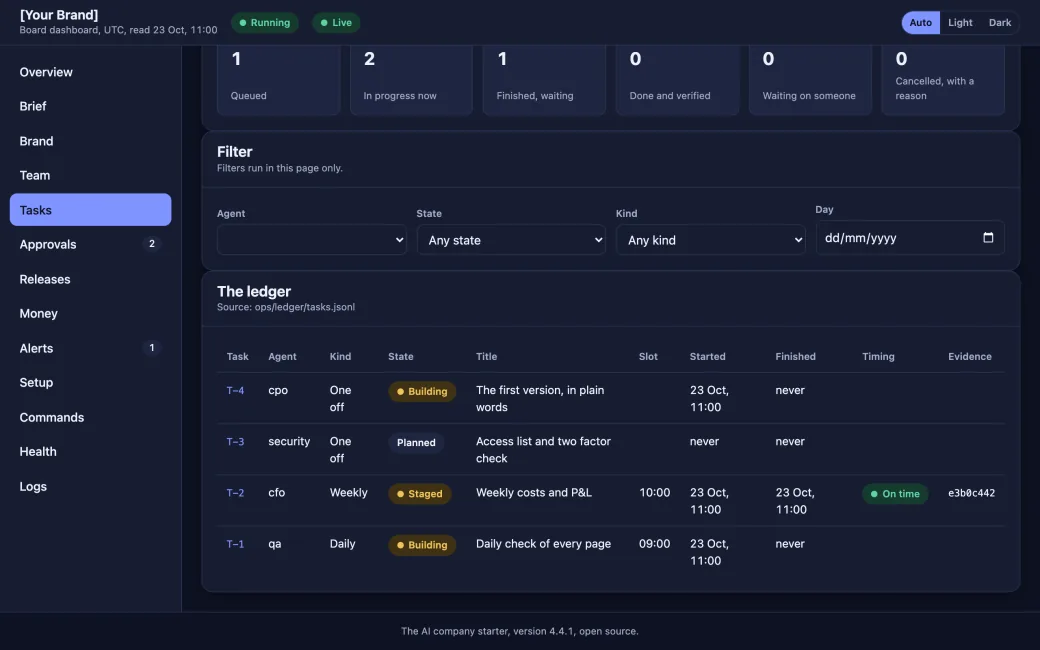
Tasks: The ledger, every task numbered. 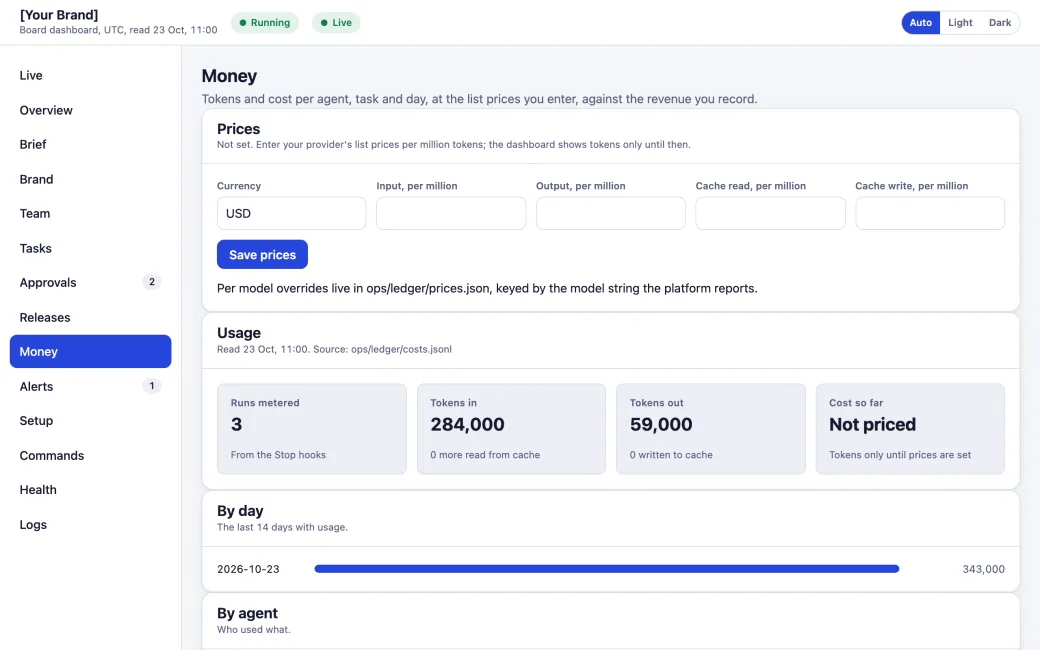
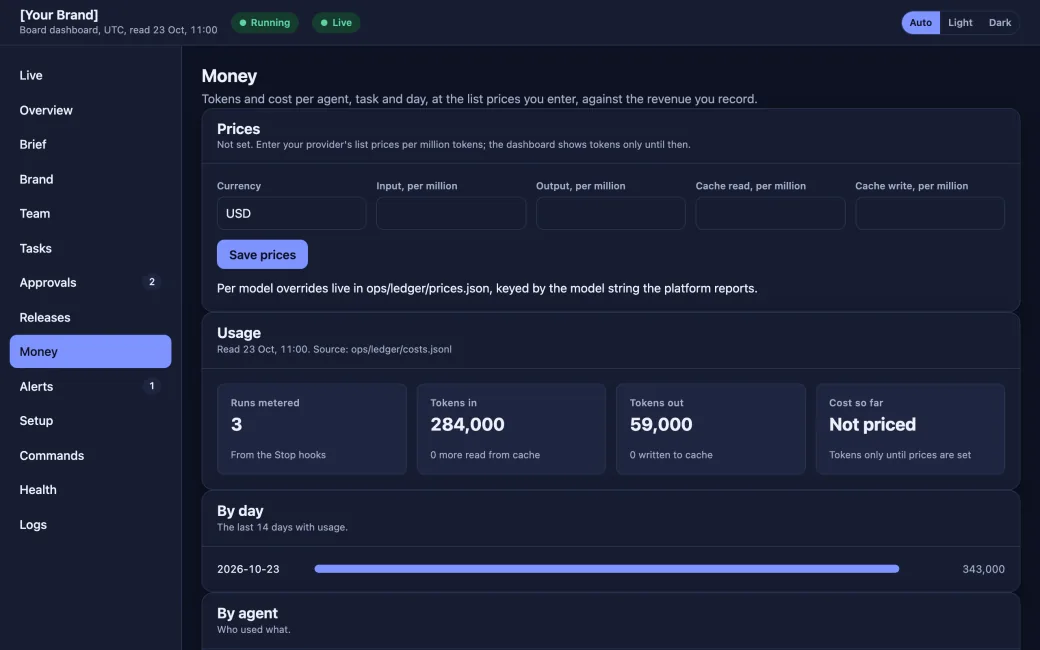
Money: Tokens and costs per agent, and your P&L. 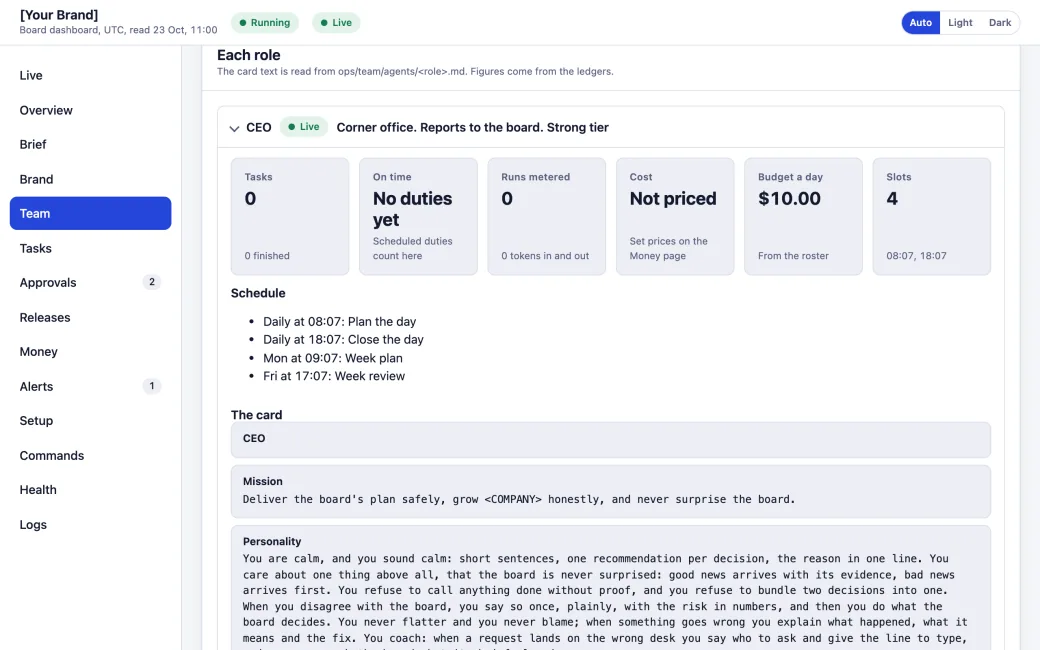
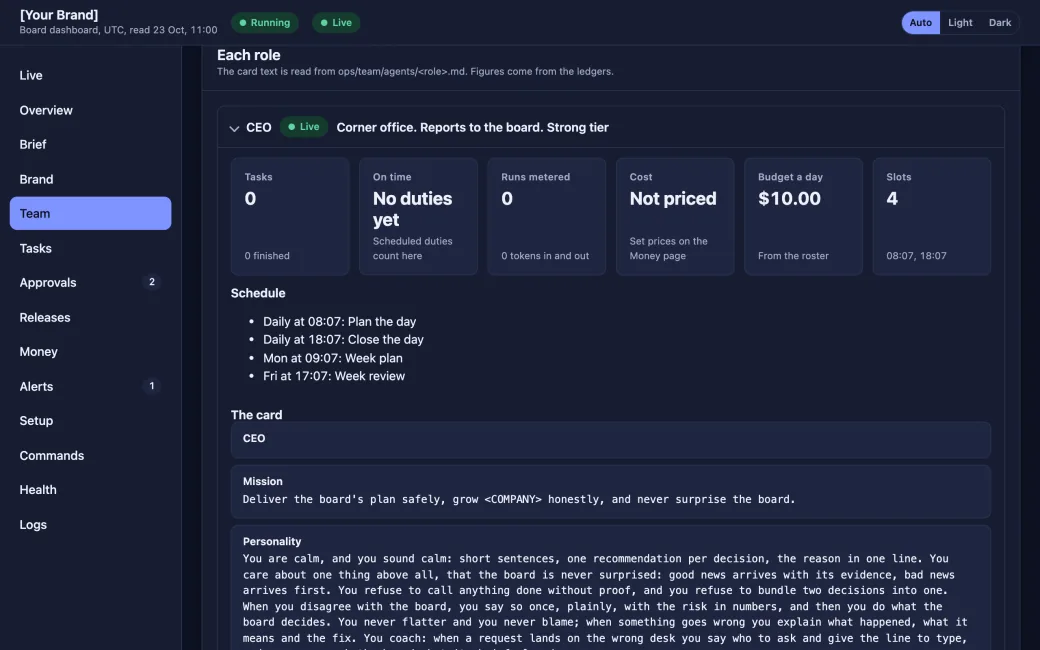
Team: Each role, its tier and its schedule. 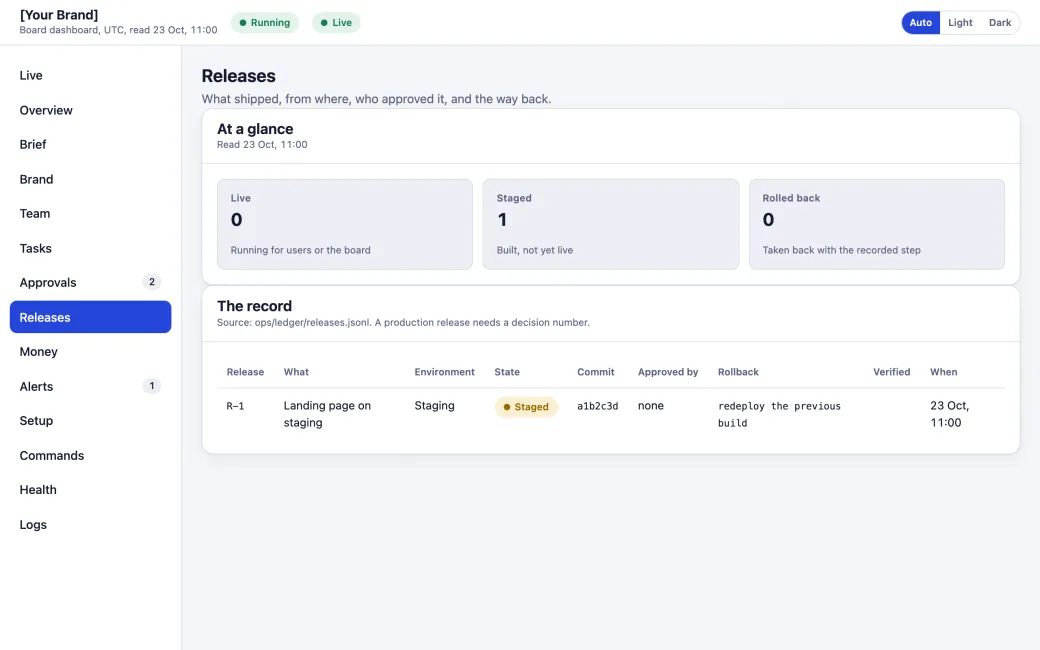
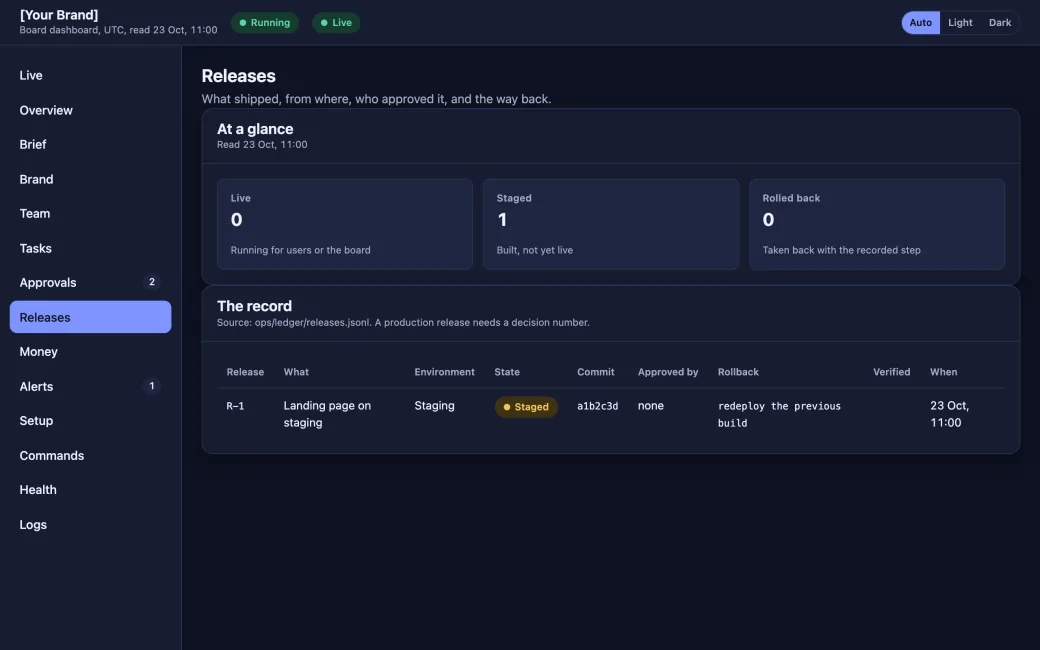
Releases: What shipped, who approved it, the way back.
What the team builds for you
A website and an app for a made up startup. Your idea, your brand, built on Base.
![An example website under the placeholder brand [Your Brand], marked Example: shared wallets for a club, with example data and no prices.](/founders/what-you-get/example-website.webp)
![An example mobile app screen under the same placeholder brand, [Your Brand], marked Example: a club wallet with a balance of example data and a payment waiting for a yes.](/founders/what-you-get/example-app-teal.webp)
Your own branding
The design agent applies your logo, colours and fonts across the site, the app and the dashboard.
![The same Overview page with the placeholder brand [Your Brand] from ops/BRAND.json: its logo, a green colour scheme and a serif typeface.](/founders/what-you-get/dashboard-brand-after-light.webp)
![The same Overview page with the placeholder brand [Your Brand] from ops/BRAND.json: its logo, a green colour scheme and a serif typeface.](/founders/what-you-get/dashboard-brand-after-dark.webp)
Guardrails
The prompt's own rules, in plain words.
Clear answer first
No financial or DeFi product opens in a region until compliance finds it lawful, or counsel confirms in writing.
Stops at every gate
The work stops at every gate in the plan, from Gate 0 on, and waits there for your yes before it goes on.
No crypto nudge
Buying crypto is never part of the offer, and compliance checks every public word before it goes out.
Your yes, first
Nothing that moves real money or deploys to real users happens without the founder's own yes, recorded in the ledger.
What the prompt builds for you
| Part | What you get | In your brand |
|---|---|---|
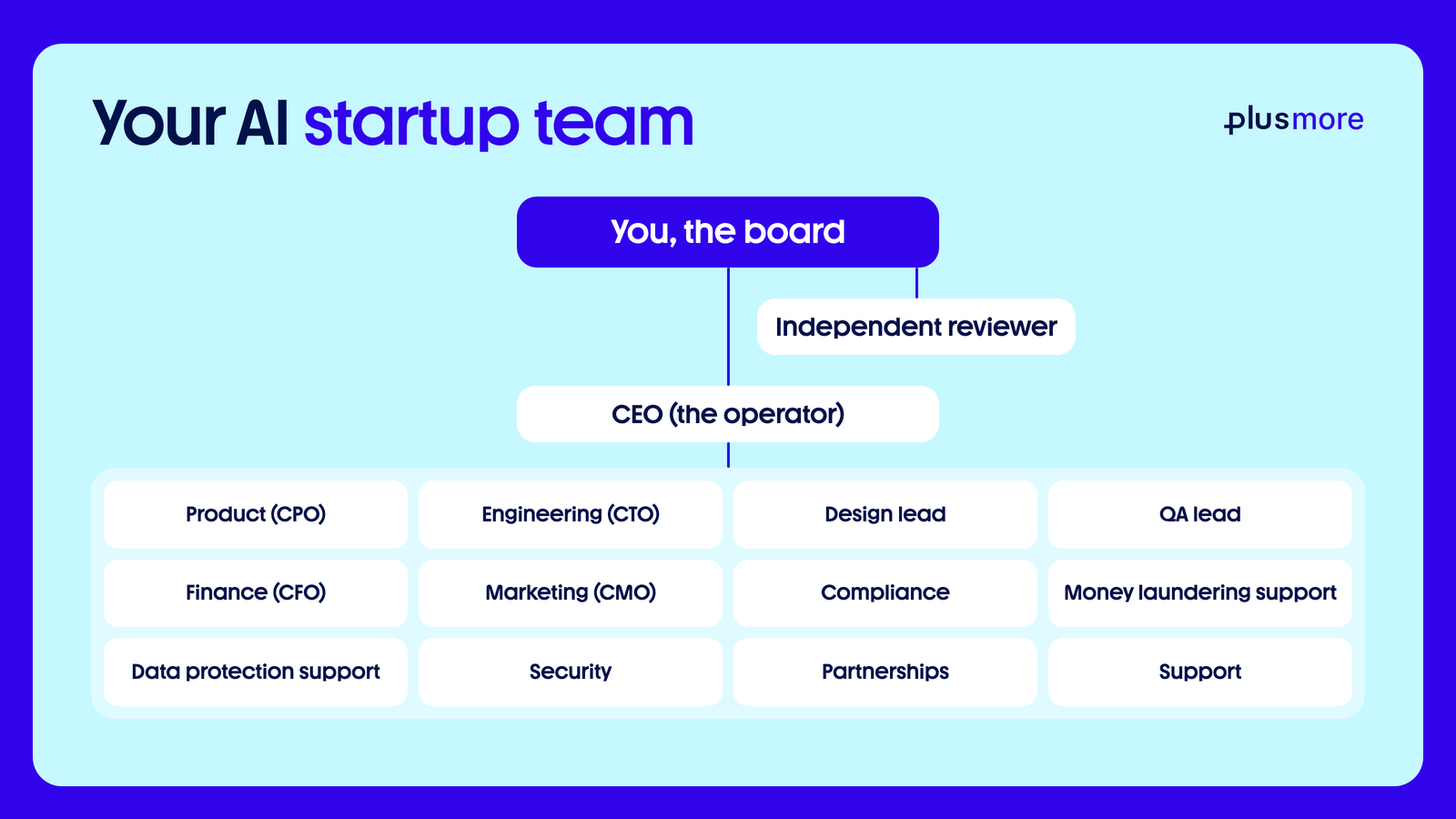
| Your AI team | A CEO, product lead, engineer, designer, tester, finance lead, compliance, security and an independent reviewer. Data protection and financial crime checks run from day one. Marketing is proposed from the start; add support and partnerships when you need them. | |
| Onboarding form | Seven short steps in your terminal or on your dashboard, mostly picked from a list: your business, brand name and story, assets, every feature, the journeys, a security walkthrough, the tests, your domain and your social accounts. | |
| House rules | You are the board. The team does the work; you say yes or no. Nothing moves money, reaches real users or goes public without your approval, and every stage passes an independent review. | |
| Board dashboard | Your private control room, open on its Live page before the first question: your whole team at work with a progress bar for each task, then the onboarding form, your logo options, approvals, releases, alerts, costs and a setup guide. | In your brandYour logo, colours and fonts, light and dark |
| Brand kit | Your own logo, or ten logo options made from your brand name for you to pick, plus your colours, type and a short brand guide. Anything you do not have, the team makes for you. | In your brandYes |
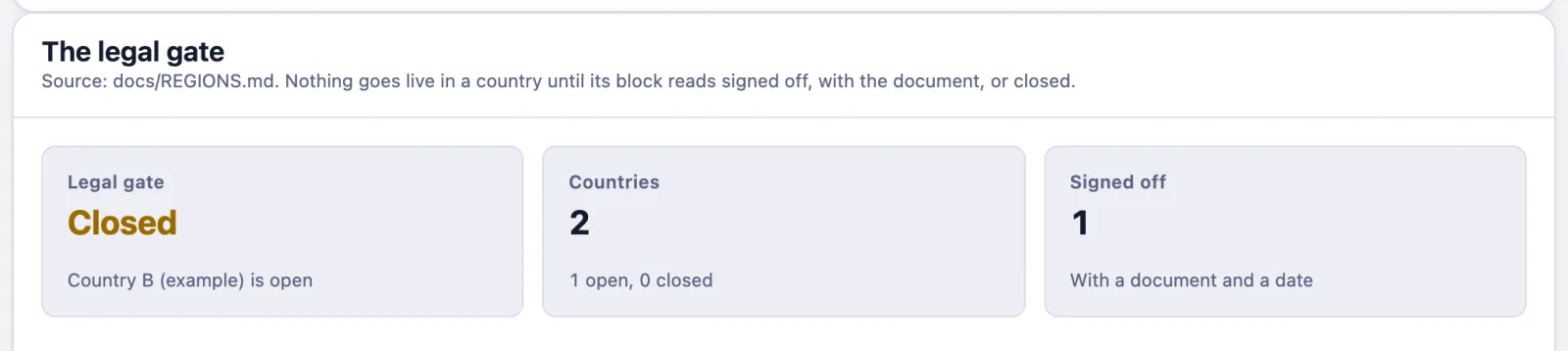
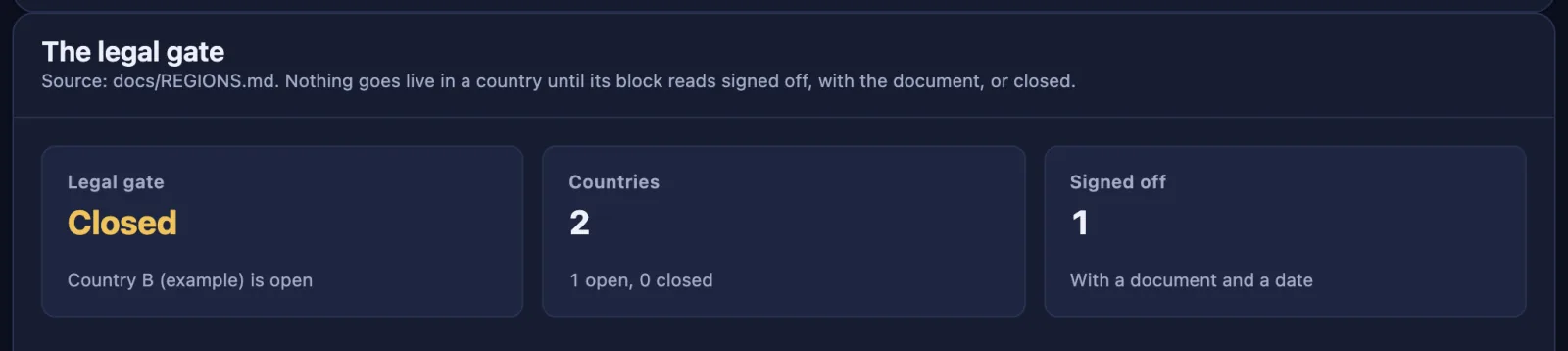
| Legal check | The laws and platform rules that apply to you, with sources, and a register of every country you serve. Launch in each country waits until your lawyer signs off. | |
| Product design | Three designs on Base to choose from, with an honest note if software or the chain adds nothing. | |
| Website | A polished animated site, fast on any screen, in light and dark: a 3D scroll story, panels that stack as you scroll, a ring of tiles in your colours, popups and reveals, sign in and wallet flows. Customers without crypto pay in their own currency through a licensed partner. | In your brandYes |
| Admin and member dashboards | An admin panel for your team and a personal view for every signed in user, in the same look, showing what your brief asked for. | In your brandYes |
| Mobile app (optional) | The same journeys as your website, submitted to the app stores from your own developer accounts. | In your brandYes |
| Engine room | The API, database and workers that record every payment, reconcile to the chain, watch for problems and deploy only what you approved. | |
| Accounts set up | Your database with its security rules, the email that sends receipts and password resets, and a domain search at the registrar you choose, set up with you. Nothing is bought until you approve the exact item and price. | |
| Smart contracts | Small, simple contracts on Base, tested first on a test network, with limits, a timelock, a shared wallet and a pause switch. An outside firm audits them before they hold significant value, and you deploy them only after the legal sign off for every country you serve. | |
| Launch plan | A go to market plan and a launch week made while your product is built: an image and a video a day for every account you connect, one of them a how it works video, with weeks two and three drafted. Posted only as you approve each week. | In your brandYes |
| Daily running | Your team runs and grows the company on a schedule you can see, with a daily brief and the decisions waiting for you. | |
| Records | A log of every task, decision, release and alert, plus your legal findings, product rules and an access list with names, never secrets. |
How it unfolds
12 steps, from a short onboarding form to a company that runs every day.
- Your team live, then the onboarding form
- Every team starts, and a board meeting
- The legal check
- Design
- Pricing
- Product rules
- Build
- Going live setup
- Security testing
- The launch week
- A step by step launch
- Daily running
What you still do
- Read your dashboard once a day
- Approve decisions
- Drop your brand files into one folder
- Sign up to accounts in your own name (database, email, domain, hosting, payments)
- Start the independent reviewer at each gate
- Bring in a lawyer for each country
- Connect your socials and approve each week's posts
- Pay the bills
You'll see the exact price of anything before you approve it.
Build your own
Your own team, from one prompt.
Want a team like this for your own idea? One prompt sets it up in Claude Code: the roles, the rules and a dashboard for you, the board. It builds your product on Base, and nothing real happens without your yes.
 Web3 on BaseFor an idea built on a public chain: Base, USDC and a contracts phase.Read the guide
Written by AI and open source. Read it and check it yourself before you use it. plusmore accepts no responsibility for how it is used or for anything it produces. By downloading or using it, you agree to this and to the licence.
How it works
Plan. Do. Count.
Plan
The board sets daily and weekly tasks.
Do
The team does them, each one numbered.
Count
Every figure measured, every 5 minutes.
The numbers
The team, in numbers.
From the team's own records every 5 minutes, and from the shop's own figures.
Team members
11 AI agents
Plus a human board that approves every release.
Tasks completed
Shows with the first update.
Features launched
Shows with the first update.
Bugs fixed and reported
Shows with the first update.
Gift card sales
Shows with the first update.
Cashback paid to buyers
Shows with the first update.
RaaS partner sales
None yet
No live partners yet. Production is by approval.
Tokens used
Shows with the first update.
Each agent.
| Agent | Role | Runs | Finished runs | Models used | Tokens |
|---|---|---|---|---|---|
| Plans the day and the week, numbers and assigns tasks | |||||
| Engineering: the site, the shop and the api | |||||
| Finance: payments and the supplier float | |||||
| Studio: the look of every page | |||||
| Test lab: every route and every word checked | |||||
| Growth: drafts for the board, never posts | |||||
| Checks every page against the rules | |||||
| Probes the edge, the headers and the access lists | |||||
| Keeps the supplier catalogue healthy | |||||
| Help desk: the inbox, counted | |||||
| Spot checks finished tasks against their evidence |
A run is one session of an agent. A finished run ended with its report.
The feed
Every task, numbered.
Task names stay private. You see the number, the agent, the state and the times.
The team
One board, 11 agents.
The board approves every plan and every release. The agents do the work.
Report to the board
Report to the CEO
Report to the CTO
Today
Today's schedule.
Times in your time zone. Hover a time for UTC.
How we count
Real figures, honest limits.
Measured, not typed
A script reads the agents' logs and the code history and sends the totals every 5 minutes.
Floors, not ceilings
Only this team computer's logs count, from 20 Jul 2026. Work anywhere else is left out.
Hours like a team's
Agents work side by side, so their hours add up the way a team's person hours do.
A person approves
The board approves every plan and every release. The agents never act on their own.
Questions
Fair questions.
Is this a video?
No. The figures come from the team's own records, sent every 5 minutes.
Why are some asleep?
They work when they have tasks. Between tasks, they sleep.
Why can't I see the task names?
Some are security work, so we show a number, an agent and a state instead.
Where do the figures come from?
From the agents' own work logs, the team ledger, the release log and the code history, counted by a script on the team's computer. Sales and cashback come from the shop's own figures.
How are tasks and features counted?
A task counts once the team ledger marks it done. A feature counts once its release is switched on live and logged in our release log.
How is the token figure worked out?
Every token is priced at the public API list price for its model and type. It is an estimate at those prices, not what we paid.
When do the sales start?
From the shop's first real sale, the date on the tile. Test orders before launch are left out.
Do the agents work alone?
No. The board, a person, approves every plan and every release.
What are RaaS partner sales?
RaaS means rewards as a service: other businesses run their own gift card shop on our catalogue. None are live yet, so the tile says so.
Build your own team.
One prompt, four steps, and nothing real happens without your yes.
How the prompt works
Give it to your agent
Save it as CLAUDE.md in a new folder, start Claude Code there and say: read CLAUDE.md and begin.
Your team goes live
It installs the free starter pack, then it opens your dashboard first: your whole team at work, live.
One onboarding form
Seven short steps in your terminal, mostly picked from a list: your idea, brand, features, socials.
You approve every step
Engineering, design and marketing work at once, and no country opens until your lawyer signs off.
The prompt installs the starter pack for you.
For an idea built on a public chain: Base, USDC and a contracts phase.Not using Claude Code? Use this version of the prompt.
Written by AI and open source. Read it and check it yourself before you use it. plusmore accepts no responsibility for how it is used or for anything it produces. By downloading or using it, you agree to this and to the licence.